Practical filing guides
Filing fee - Document translation - Green card photo - Document printing - Visa bulletin - O-1 Petitioner
US visa petition: print in color or black and white? Don’t waste your money
How the immigration service scans documents, why a highlighter kills text, and what the officer actually sees on the screen
Contents
Short answer
Should you print your U.S. visa petition in color or black and white? Is it worth paying for color printing?
No, it’s not worth it. And this is not a blogger’s opinion but an officially confirmed fact. Here are three key pieces of evidence:
Evidence 1: direct USCIS answer to lawyers
In September 2023 at the quarterly USCIS (U.S. immigration service) and AILA (American Immigration Lawyers Association, the largest association of immigration lawyers, ~16,000 members) meeting, attorneys asked a direct question: “Are petitions scanned in color or black and white?” USCIS’s answer:
Detailed breakdown
"USCIS Lockbox service providers image all scannable documents received from a petitioner, applicant, or requestor in black and white, front and back, and single-sided."
Translation and what this means
“USCIS Lockbox contractors scan all documents received from a petitioner into black-and-white format, both sides of the sheet, each page individually.”
In plain terms: it doesn’t matter how much you paid for color printing. Everything you mailed is turned into a black-and-white PDF. Color is lost forever. The officer will never see your color version.
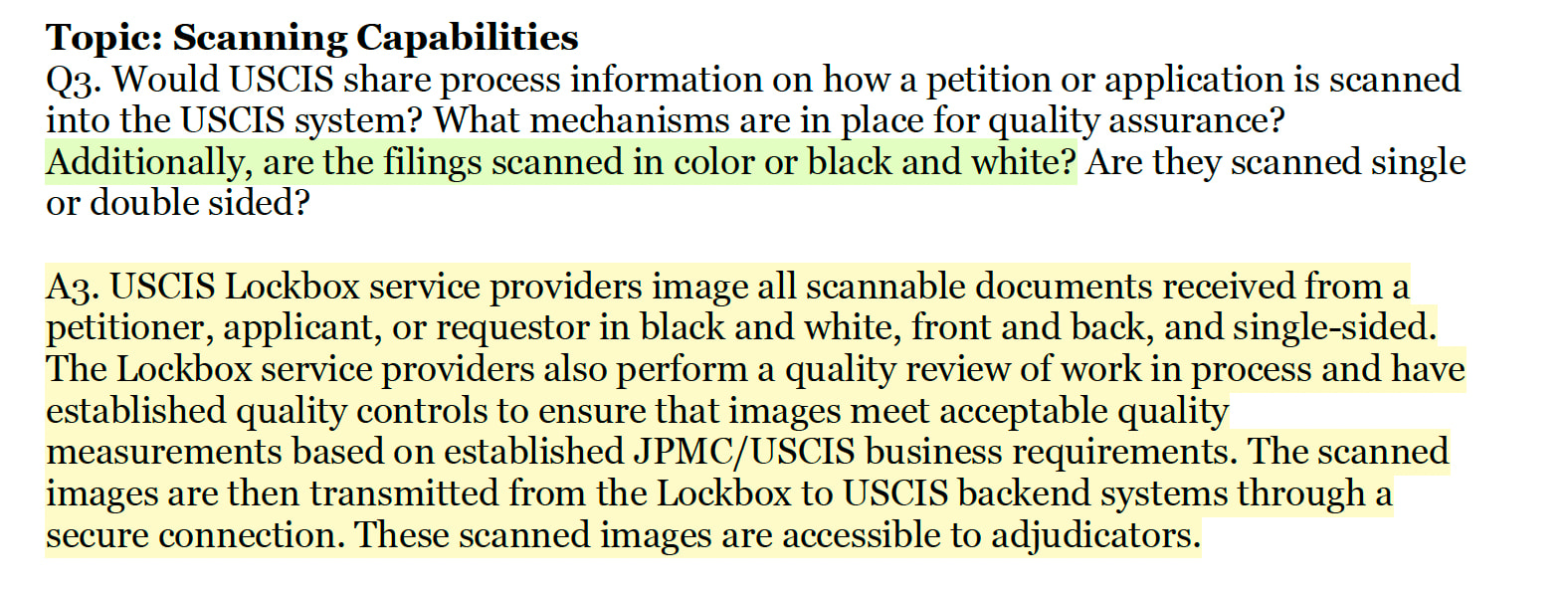
Screenshot from the official USCIS/AILA Q&A (p. 2):
Full USCIS/AILA Q&A PDF (4 pages):
USCISandAILAFourthQuarterMeetingQuestionsandAnswersPart2.pdf (148.6 KB)
Full text of the AILA/USCIS question and answer (Q3, September 27, 2023)
AILA’s question was broader than just “color or b/w.” Attorneys asked to disclose the whole process:
"Would USCIS share process information on how a petition or application is scanned into the USCIS system? What mechanisms are in place for quality assurance? Additionally, are the filings scanned in color or black and white? Are they scanned single or double sided?"
Translation: “Can USCIS share information about the petition scanning process? What quality assurance mechanisms exist? Are documents scanned in color or b/w? Single- or double-sided?”
"USCIS Lockbox service providers image all scannable documents received from a petitioner, applicant, or requestor in black and white, front and back, and single-sided. The Lockbox service providers also perform a quality review of work in process and have established quality controls to ensure that images meet acceptable quality measurements based on established JPMC/USCIS business requirements. The scanned images are then transmitted from the Lockbox to USCIS backend systems through a secure connection. These scanned images are accessible to adjudicators."
Translation: “USCIS Lockbox contractors scan all documents in black and white, both sides, one page at a time. Contractors also conduct quality control and have standards set jointly by JPMorgan Chase and USCIS. Scanned images are transmitted from the Lockbox to USCIS systems via a secure connection. These images are accessible to adjudicators.”
What this means in practice
Three key facts from this answer:
- “black and white”: there are no color scanners in the system
- “accessible to adjudicators”: the officer works with an electronic file (PDF on screen), not with the physical paper
- “quality controls based on JPMC/USCIS requirements”: there are quality standards, but the CIS Ombudsman 2025 report showed that in practice quality leaves much to be desired (OCR errors, unstructured PDFs). That means the clarity of your text is even more important.
Evidence 2: USCIS official page
On uscis.gov there is a specific page “Tips for Filing Forms by Mail.” It is updated and available right now:
"Do not use highlighters, correction fluid, or correction tape. We use both black-and-white and grayscale scanners that will not properly read information that is greyed out, highlighted, or corrected."
Translation and what this means
“Do not use highlighters, correction fluid, or correction tape. We use black-and-white and grayscale scanners, which cannot properly read shaded, highlighted, or corrected text.”
Here USCIS explicitly says: we have two types of scanners: a binary black-and-white scanner (only black and white, no shades) and a grayscale scanner (shades of gray, like an old photo). Neither transmits color. There are no color scanners in the system.
Evidence 3: immigration attorney Tess Douglas
In December 2024 immigration attorney Tess Douglas posted on LinkedIn, which received strong engagement in the professional community:
"USCIS has said that it only uses black and white scanners. So the officer reviewing your case will never see the color copy. And highlights can come out looking redacted. USCIS recommends underlining instead."
Translation and what this means
“USCIS has said it uses only black-and-white scanners. Therefore the officer reviewing your case will never see the color version. And highlighting with a highlighter can look like redacted text. USCIS recommends underlining instead.”
The word “redacted” means that in classified documents text is blacked out. That is exactly how your yellow highlighter may look after scanning: a black block covering the text.
Summary
Three independent sources (an official USCIS document, the uscis.gov website, and a practicing attorney) confirm the same thing: color printing when sending to the USCIS lockbox is a waste of money. The officer only sees a black-and-white PDF.
Below: details on how the scanning process works, why highlighters are dangerous, what other attorneys and applicants say, and rare cases where color still matters.
Full list of USCIS requirements for document formatting
Beyond the scanner type (which we covered above), on the page Tips for Filing Forms by Mail and in a separate bulletin about scanning delays, USCIS provides specific instructions. Here they are with explanations:
USCIS requirements for paper filings (with translation)
- Ink: handwritten text: black ink only. Colored pens may not be read by the scanner.
- Signature: black or dark blue ink. Light blue, red, green may be invisible on the scan.
- Font: recommended Courier New, 10pt, bold. This monospaced font is best recognized by the OCR system EMMA (USCIS Listening Session).
- Prohibited: highlighters, correction fluid (White-Out), correction tape. All of these distort the text when scanned.
- Paper: do not print forms on colored paper. The only exception: form G-28 (power of attorney to the attorney), which is printed on blue paper (Alan Lee, attorney).
- Paperclips and fasteners: do not staple documents or use paperclips or binder clips. Lockbox contractors will remove them before scanning (Dallas Lockbox tour, 2023).
- Small documents: photos or documents smaller than 4x6 inches (~10x15 cm) may be lost in the scanner. USCIS recommends attaching standard-size copies (USCIS: Recommendations for Paper Filings).
- Electronic media: do not include CDs, DVDs, or flash drives. Lockbox does not process electronic media (same source).
Detailed breakdown
How the lockbox works from the inside
To understand why color doesn’t matter, it helps to know what happens to your packet after you drop it in the mailbox.
What is the lockbox
The lockbox is not a USCIS office. It is mail processing run by JPMorgan Chase under contract with the U.S. Department of the Treasury (Bureau of the Fiscal Service). JPMorgan receives about $90 million per year for this (Center for Immigration Studies). Four facilities: Chicago, Elgin (IL), Phoenix (AZ), and Lewisville (TX). Hundreds of contract employees (non-government), plus several USCIS staff on site, work in the lockbox (USCIS Listening Session).
Based on a law firm LPY Law Group tour of the Dallas Lockbox in October 2023 and the official USCIS Listening Session, the process looks like this:
Extraction
The envelope is opened. Contents are sorted by form type. A check or money order is separated for payment processing.
Doc Prep (preparation for scanning)
From your packet everything is removed: staples, clamps, fasteners, colored tabs, stickers, dividers. Pages are flattened and laid out for the scanner. Anything smaller than 4x6 inches (small photos, business cards) may be lost. USCIS recommends attaching standard-size copies.
Scanning
The entire packet is fed into an industrial scanner. Scanning: black-and-white or grayscale, both sides. Output: one large PDF.
EMMA (OCR and data extraction)
The system EMMA (Extracting, Modifying, Monitoring, and Architecture) recognizes text from scanned forms and converts it into electronic fields. That’s why readability is critical. OCR works best with clear black letters on a white background.
Transmission to the officer
The PDF is transmitted into the USCIS system (ELIS). The adjudicating officer opens a black-and-white PDF of your petition on the screen. Physical originals are sent to a service center or destroyed.
Lockbox processes over 500,000 filings weekly. It operates 24/7. The goal: process within 72 hours of receipt (Dallas Lockbox tour, LPY Law Group, Oct 2023).
Scanning quality issues
The CIS Ombudsman 2025 Annual Report (PDF) identified serious problems: the OCR engine confuses characters (i/l, q/g, nn/m, ij/y), and outputs are often huge unstructured PDFs of hundreds of pages without searchable text. Officers spend from tens of minutes to an hour paging through these files to find the needed document. This is another reason to make your text as clear and high-contrast as possible.
The CIS Ombudsman is an independent oversight office within the Department of Homeland Security (DHS) that publishes an annual report on USCIS issues.
Why a highlighter is dangerous
This is perhaps the most important practical takeaway from the whole article. Many people think: “I’ll highlight the key part and the officer will notice it.” In reality, exactly the opposite happens.
What you think will happen
The officer sees a yellow highlight on an important paragraph and immediately notices it.
What actually happens
A black-and-white scanner turns a yellow highlighter into a solid black block, completely covering the text. The officer cannot read what you highlighted.
"USCIS has said that it only uses black and white scanners. So the officer reviewing your case will never see the color copy. And highlights can come out looking redacted. USCIS recommends underlining instead."
What to do instead of a highlighter
- Underlining: works well with b/w scanning
- Bold font: if the text is printed
- Margin arrows: use a black pen
- Separate cover note: “See Exhibit B, page 3, paragraph 2.” The most reliable way to direct the officer to a specific place
What lawyers say
Immigration lawyers are unanimous on this question, which is rare.
"USCIS scanners have a hard time reading pages that have been changed with highlighters or white-out."
"You should send your petition in black and white and make sure that you do not use highlights. USCIS has stated that they scan all their petitions and in scanning the color paper is useless and highlighting information makes it difficult to read."
On Avvo, lawyers note: both options (color and b/w) are accepted. The main requirement: readability at a minimum resolution of 300 DPI. Several attorneys confirmed that they filed hundreds of cases in both formats without issues.
Applicants’ experience (Reddit)
Real people who mailed petitions and saw the result in their online USCIS account:
"Everything you mail will appear on your online account as black and white."
"It's handled by a private contractor who discards every tab, clip, and pin. Then the entire packet is fed into a scanner, producing a large PDF that officers use."
"A lawyer on YouTube mentioned that the petition package gets scanned in black and white and sent online to officers, so the sticky notes would be worthless."
User r/EB2_NIW noted an important nuance: in some offices scanners operate not even in grayscale but in binary black-and-white (only black and white, no shades of gray). That’s even worse for color documents: any shade becomes either black or white.
Exceptions: when color actually matters
Important to understand
USCIS lockbox rules DO NOT apply to all immigration filings. There are cases where color is required or useful.
1. NVC and consulates (Department of State)
When uploading documents online to the National Visa Center (travel.state.gov) the rules are directly opposite:
"If any document is in color, please scan it in color rather than black and white."
The logic is simple: with online upload the file goes directly into the system without rescanning. The officer sees exactly what you uploaded. Therefore color documents (passport, seals on certificates) should be scanned in color.
2. Online filing with USCIS
If you file a form online via myaccount.uscis.gov and upload documents electronically, the officer sees them in color. The black-and-white limitation applies only to paper filings through the lockbox.
3. Documents that become unreadable in b/w
If you have a document that becomes unreadable when converted to b/w (for example, a medical form with colored fields or a diploma with a colored background), it’s better to make your own high-quality b/w copy with good contrast, check readability, and attach that. Don’t rely on the lockbox scanner to do a better job than your printer.
4. Form G-28
The only USCIS form printed on blue paper is the G-28. Immigration attorney Alan Lee notes: if you print the G-28 on white paper, a lockbox contractor may not notice it in the stack. Blue paper helps physical sorting before scanning.
Recommendation table by document type
| Document type | Recommendation | Why |
|---|---|---|
| USCIS forms (I-130, I-140, I-485, I-765, etc.) | Black and white | Color is useless; money wasted. Use black ink. |
| Petition letter / Cover letter | Black and white | Text document, color not needed. |
| Exhibits and attachments (EB-1A, O-1, EB-2 NIW) | Black and white | The officer only sees a b/w PDF. Savings on large packages can be significant. |
| Passport / ID copies | Color original gives a better b/w scan | A color copy scanned in b/w is more contrasty than a b/w copy of a b/w original. There have been RFEs for unreadable b/w passport copies. |
| Photographs (passport-style) | Color originals, if required | Attach small photos as copies at least 4x6". |
| Charts and graphs | Design for grayscale | Don’t rely on color. Use patterns, hatching, and labels instead of color-coding. |
| Handwritten signatures | Black or dark blue ink | Red, green, and other colors may scan poorly. |
| Section dividers | Colored paper is allowed | Helps lockbox staff physically sort before scanning. But the officer won’t see them. |
| Form G-28 | On blue paper | The only USCIS form on colored paper. Helps physical identification. |
| Documents for NVC / consulate | Color required | Different system, different rules. Travel.state.gov explicitly requires color scanning. |
Detailed breakdown
Common mistakes
A highlighter in b/w scanning turns into a black block, completely covering the text. The officer literally won’t be able to read what you wanted to emphasize. Use underlining or bold font.
Lockbox contractors remove all staples, fasteners, tabs, stickers, and dividers before scanning. Your color-navigation system will be thrown away.
A typical EB-1A or EB-2 NIW petition contains 300–500+ pages. The cost difference between color and b/w printing at that volume is substantial. And all that money will be wasted because the officer will see only a b/w PDF.
If on your chart the red and blue lines differ only by color, after scanning they will become identical gray lines. Use different line styles (solid, dashed, dotted) and labels.
USCIS explicitly warns: the scanner cannot correctly read text fixed with correction fluid or tape. If you made a mistake, reprint the page.
Bottom line
Practical conclusion
Print in black and white. Save your money. Color printing when submitting to the USCIS lockbox is a waste. The officer sees only a black-and-white PDF.
Exceptions:
- Passport and ID copies: color originals produce a better b/w scan
- Filing to NVC/consulate: color is required
- Online filing with USCIS: the officer sees files in color
- Form G-28: print on blue paper
Instead of a highlighter use underlining or bold font. Ensure maximum readability: black text on white background, minimum 300 DPI resolution, black ink.
Sources
All claims in this article are backed by official documents and primary sources:
Official USCIS and U.S. government sources
- USCIS/AILA Fourth Quarter Meeting Q&A (September 2023): direct USCIS answer about b/w scanning
- USCIS: Tips for Filing Forms by Mail: official filing recommendations
- USCIS: Recommendations for Paper Filings to Avoid Scanning Delays
- USCIS: Listening Session: Lockbox Processing: scanning process details
- CIS Ombudsman 2025 Annual Report (PDF): problems with OCR and scan quality
- GAO-22-105328: Additional Actions Needed to Manage Fraud Risks: inconsistent scanning formats
- Travel.state.gov: Scanning and Uploading Tips (NVC): color scanning required for NVC
- AILA: USCIS Provides Tips for Filing Forms by Mail
Lawyers and legal sources
- Tess Douglas, LinkedIn (December 2024): attorney on b/w scanners and highlighters
- Valverde Law PLLC: Tips for Filing with USCIS by Mail
- Alan Lee: USCIS Recommendations on Filing Paper Petitions
- LPY Law Group: Lessons from 2023 Dallas Lockbox Meeting
- Avvo: EB-1A: black and white or color?
- Avvo: I-130/I-485: color or b/w copies?
- Avvo: Color copies when submitting documents to USCIS
- AILA Copenhagen 2024: USCIS Now Scanning 100% of Petitions
Community and forums
- r/USCIS: Digitizing mailed paper applications
- r/EB2_NIW: USCIS scans documents in grayscale
- r/eb_1a: Preparing the Petition Package
- r/USCIS: Lockbox worker describes scanning process
- r/USCIS: Highlighting documents/evidence
- r/immigration: Passport pages: color or black/white?
- Instagram: USCIS Filing Tip: no highlighters